CRM Setup for Growing Businesses in Chicago
CRM implementation for growing Chicago businesses. HubSpot, Salesforce, and custom CRM setup with workflows that match how your Chicago team works.
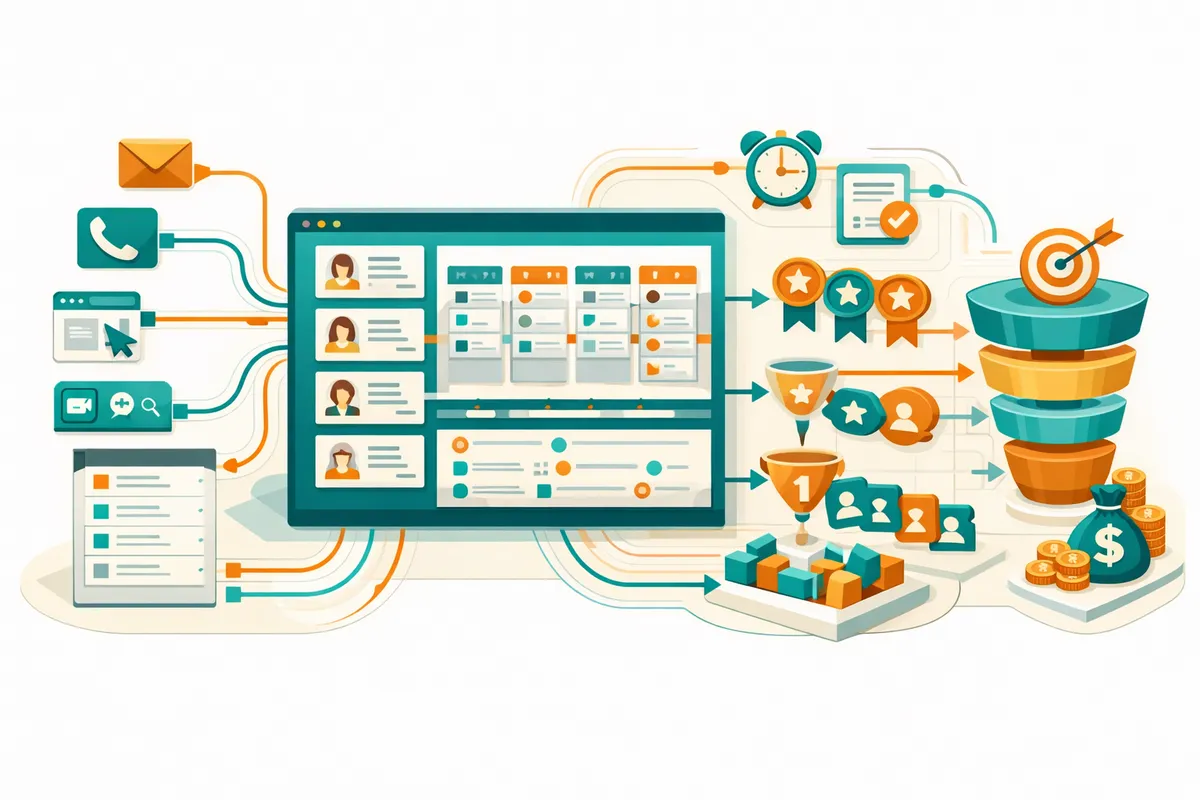
CRM Needs for Chicago Businesses by Segment
Chicago's business landscape is diverse, and different segments have different CRM requirements.
B2B Startups and SaaS Companies
Startups in the West Loop, Loop, and River North selling to other businesses need CRMs configured for multi-touch, relationship-driven sales cycles. The typical Chicago B2B sales cycle involves 3 to 7 touchpoints across 30 to 120 days. Your CRM needs to track every interaction, automate follow-up sequences, and give your team visibility into pipeline health.
Key configuration needs: deal pipeline with 5 to 7 stages that match your actual sales process, not the CRM default. Lead scoring based on engagement signals (email opens, website visits, demo requests). Automated task creation when deals sit in a stage too long. Weekly pipeline reports for founders and sales managers.
For startups connected to 1871 or Techstars Chicago, the CRM should also track referral sources from the ecosystem: mentor introductions, demo day leads, networking event contacts. These relationship-driven leads convert at higher rates and deserve distinct tracking.
Professional Services Firms
Law firms, consulting firms, accounting practices, and marketing agencies in the Loop and River North need CRMs that track client relationships across long engagement cycles. Professional services CRMs differ from product sales CRMs because the "deal" is often a relationship that produces multiple engagements over years.
Key configuration needs: contact relationship mapping (who introduced whom, which firm partners own which relationships), engagement tracking (active, completed, prospecting), capacity planning integration (does the team have bandwidth for new clients), and billing integration for time-based billing models.
Service Businesses
Home services, restaurants, retail, and local service businesses across Lincoln Park, Wicker Park, Logan Square, and Pilsen need CRMs that track customer interactions, manage appointments, and drive repeat business. The sales cycle is short (often same-day), but customer lifetime value depends on retention and referrals.
Key configuration needs: appointment scheduling integration, review request automation, referral tracking, seasonal marketing campaign management, and customer communication history across phone, email, and text.
E-commerce and DTC Brands
Consumer brands selling online need CRMs that integrate with their e-commerce platform and marketing tools. Customer data from Shopify, Amazon, email marketing, and social media needs to flow into a single customer view.
Key configuration needs: e-commerce integration (order history, lifetime value, purchase frequency), email marketing sync (segments, campaigns, engagement), customer service integration (support tickets linked to customer records), and segmentation for targeted marketing.
Our CRM Implementation Process
Phase 1: Discovery (Week 1)
We do not start with technology. We start with understanding your business.
How does your team actually sell? Not how you think they should sell, or what your sales methodology says, but what happens in reality. We interview salespeople, sit in on calls, review email threads, and document the actual customer journey from first touch to closed deal.
How is customer data currently managed? Where does it live? Who updates it? What falls through the cracks? What reports does management need but cannot generate?
What tools does your team already use? Email, calendar, project management, accounting, marketing platforms. The CRM needs to integrate with these tools, not replace them.
This discovery phase produces a CRM configuration blueprint: pipeline stages, custom fields, automation rules, integration requirements, and a data migration plan.
Phase 2: Platform Selection (Week 1 to 2)
With the blueprint defined, we match requirements to platforms. Our recommendation is based entirely on fit, not vendor relationships.
HubSpot works best for: companies that want marketing and sales in one platform, teams that value ease of use, businesses with straightforward sales processes, and budgets that benefit from HubSpot's free tier.
Salesforce works best for: companies with complex sales processes, teams that need extensive customization, businesses that will eventually need enterprise-grade reporting, and organizations where Salesforce ecosystem integrations are critical.
Pipedrive works best for: small teams that want simplicity, founder-led sales where the CRM needs to be fast and minimal, and budgets under $100/month for the team.
Other platforms (Close, Attio, Folk, Zoho) have specific strengths for specific use cases. We evaluate each against your requirements.
Phase 3: Configuration (Weeks 2 to 4)
This is where CRM implementations succeed or fail. We configure every element to match your documented sales process.
Pipeline stages. Each stage represents a meaningful milestone in your sales process. Not generic stages like "Qualified, Proposal, Negotiation" unless those actually describe your process. A Chicago consulting firm might use: "Initial Conversation, Discovery Meeting Scheduled, Proposal Delivered, Proposal Reviewed, Engagement Agreement Sent, Signed." Each stage has entry criteria and expected duration.
Custom fields. Every piece of information your team needs to manage deals and relationships. Company size, industry, source, decision timeline, competition, budget range. We add only fields that someone will actually use and reference. Unused fields create data debt.
Automation rules. When a deal enters a new stage, what should happen automatically? Send a follow-up email. Create a task. Notify the manager. Update the customer record. Schedule the next activity. Automations eliminate the manual work that causes leads to fall through cracks.
Email templates and sequences. Pre-built email templates for common touchpoints: initial outreach, meeting confirmation, proposal follow-up, contract delivery, onboarding kickoff. Automated sequences for nurturing leads who are not ready to buy.
Reporting dashboards. Real-time visibility into pipeline value, conversion rates by stage, sales velocity, team performance, and revenue forecasting. We build the dashboards that founders and sales managers actually look at, not reports that sit unused.
Phase 4: Data Migration (Week 3 to 4)
Migrating data from spreadsheets, old CRMs, email contacts, and other sources into the new CRM is tedious but critical. Bad migration creates a CRM full of duplicates, missing fields, and incorrect data that erodes team trust from day one.
We clean data before migration: deduplicate contacts, standardize field values, fill in missing information where possible, and flag records that need human review. Post-migration, we validate data integrity with spot-checks and reconciliation reports.
Phase 5: Training and Adoption (Week 4 to 5)
CRM tools are only as effective as the people using them. We provide role-specific training that focuses on daily workflows, not feature tours.
Salespeople learn: how to log activities, move deals through the pipeline, use email templates, and track their numbers.
Managers learn: how to read dashboards, run reports, identify bottlenecks, and coach based on CRM data.
Administrators learn: how to add users, modify fields, adjust automations, and troubleshoot common issues.
Training is hands-on with real data from your business. We use actual deals and contacts, not hypothetical examples.
Phase 6: Optimization (Months 2 to 3)
The first month of CRM usage reveals what works and what needs adjustment. Pipeline stages might need refinement. Automation rules might trigger at the wrong time. Reports might need additional filters. We schedule weekly check-ins for the first month and bi-weekly check-ins for the second month to optimize based on real usage patterns.
CRM Integration with Your Chicago Tech Stack
A CRM that lives in isolation is a CRM that gets abandoned. Integration with your existing tools is essential.
Email (Gmail/Outlook). Automatic email logging so every customer communication is captured in the CRM without manual effort. Salespeople do not need to remember to log emails. It happens automatically.
Calendar. Meeting scheduling that creates CRM activities and sends automated confirmations. Calendar visibility helps managers understand team capacity.
Marketing platforms. Lead data from your website forms, email marketing, and advertising flows into the CRM automatically. Lead source attribution helps you understand which marketing channels produce the best customers.
Accounting and invoicing. Customer records link to invoices and payment history. Sales teams see customer value. Finance teams see pipeline forecasts.
Communication tools. Phone call logging, text message tracking, and chat history captured in customer records. Every customer interaction is visible in one place.
Frequently Asked Questions
Q: How much does CRM implementation cost for a Chicago business?
Basic CRM setup (configuration, migration, training) costs $3,000 to $8,000 for a team of 5 to 15 users. Complex implementations with extensive integrations and custom automations cost $8,000 to $20,000. Monthly CRM platform costs add $0 (HubSpot free tier) to $150+ per user per month (Salesforce Enterprise) depending on the platform and plan you select.
Q: How long does CRM implementation take?
Standard implementations take 3 to 5 weeks from discovery to team training. Complex implementations with extensive data migration and integrations take 6 to 10 weeks. We can accelerate timelines for teams that need to be live quickly, with optimization happening after launch.
Q: What if our team resists using the CRM?
Resistance usually comes from three sources: the CRM is too complicated, it does not match how the team actually works, or there is no enforcement from management. Our implementation addresses the first two by building a CRM that matches real workflows and providing practical training. The third requires management commitment to making CRM usage non-negotiable for the team.
Q: Should we start with a free CRM or invest in a paid plan?
Free tiers (HubSpot Free, Zoho Free) are viable for teams under 5 users with simple sales processes. Paid plans add automation, reporting, and integration capabilities that growing teams need. We typically recommend starting with a free or basic plan, then upgrading as your requirements increase. Do not pay for features you will not use for 12 months.
Q: Can we switch CRMs later if we outgrow our first choice?
Yes, but migration is disruptive. It takes 3 to 6 weeks and costs $5,000 to $15,000 depending on data volume and complexity. Choose a CRM that can grow with you for the next 3 to 5 years to avoid premature migration. Our selection process accounts for your growth trajectory, not just current needs.
Q: Do we need a CRM administrator on staff?
For teams under 20 users, the CRM can be managed by a tech-savvy team member with 2 to 3 hours per week of administration time. For larger teams, a dedicated CRM administrator (part-time or full-time) ensures data quality, process adherence, and continuous optimization. We provide ongoing support packages for teams that need CRM expertise without a full-time hire.
Ready to put this into action?
We help businesses implement the strategies in these guides. Talk to our team.