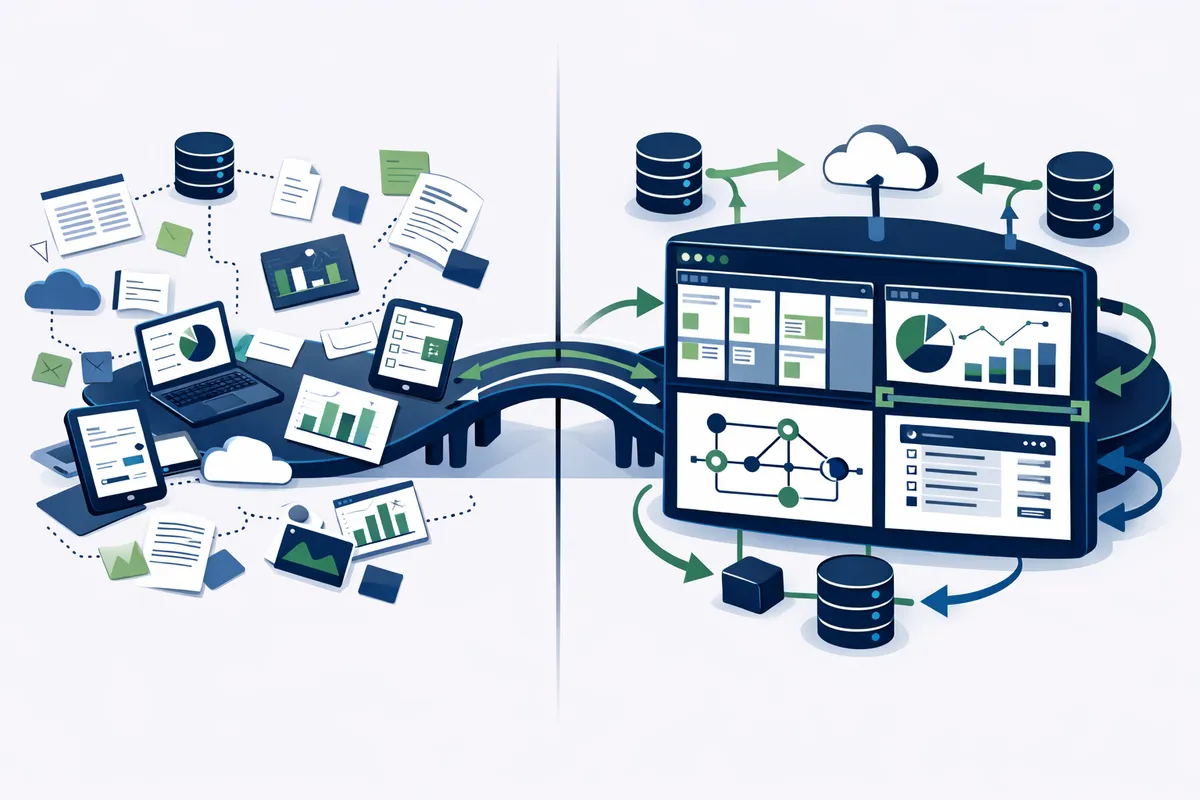
What Custom Internal Tools Look Like
Internal tools are not consumer products. They do not need to be beautiful. They need to be fast, reliable, and precisely aligned with how your team works. Here is what we build for New York teams.
Customer lookup and management dashboards. Consolidate data from your CRM, billing system, support tickets, and communication tools into one view. Your customer success team in Manhattan opens one dashboard instead of switching between six tabs. They see everything about a customer in seconds. Response times drop. Customer satisfaction rises.
Order and operations management. Real-time status tracking across every stage of your fulfillment pipeline. A Brooklyn e-commerce company sees every order from placement through delivery on one screen. Warehouse staff update statuses from mobile devices. Customer support pulls order details instantly instead of digging through email threads.
Automated reporting. The weekly report your operations manager builds manually every Friday now generates itself. Revenue by channel, customer acquisition costs, inventory levels, team productivity metrics. All pulled from your actual data sources, calculated correctly, and delivered on schedule. No more formula errors. No more outdated numbers in executive presentations.
Workflow automation tools. Content approval flows for media companies. Compliance checklists for fintech startups. Onboarding sequences for HR teams. Contract routing for legal teams. Any multi-step process that involves handoffs between people can be systematized into a tool that ensures nothing falls through the cracks.
Admin panels for your existing products. If you have a customer-facing application, your team needs an admin panel to manage it. User management, configuration changes, content updates, feature flags. Without an admin panel, developers handle tasks that operations staff should own. That is expensive and slow.
Data integration dashboards. New York companies use dozens of tools. Salesforce, HubSpot, Stripe, Shopify, QuickBooks, Slack, Google Workspace. Custom dashboards pull data from all of them into unified views that answer specific business questions. What is our monthly recurring revenue trend? Which customers are at risk of churning? How is each sales rep performing against quota?
How We Build Internal Tools
Our development process starts with understanding your workflows, not your feature wishlist. We spend time with the people who will use the tool daily. We watch how they work. We identify where time is wasted, where errors occur, and where automation would have the highest impact.
Discovery phase (1 to 2 weeks). We map your current workflows, identify the highest-impact automation opportunities, and define the scope of the initial build. Most teams have a dozen things they want automated. We help prioritize ruthlessly so the first version solves the most painful problem.
Build phase (4 to 8 weeks). We build the core tool using modern frameworks that are fast to develop and easy to maintain. React frontends for responsive interfaces. Node.js or Python backends for data processing. PostgreSQL for reliable data storage. API integrations with your existing tools. The technology stack depends on your specific requirements, but we always choose technologies with strong community support and long-term viability.
Deploy and iterate (ongoing). The first version ships. Your team uses it. They immediately have feedback about what works and what needs adjustment. This feedback loop is critical. The best internal tools evolve through use, not through planning. We iterate in weekly cycles until the tool fits your workflows precisely.
Maintenance and support. Internal tools are living systems. Your business changes. Your team grows. New requirements emerge. We provide ongoing maintenance that keeps your tools aligned with how your business actually operates, not how it operated six months ago.
The Build vs. Buy Decision
New York startups often ask whether they should build custom tools or buy off-the-shelf solutions. The answer depends on how specific your requirements are.
Buy when: Your needs are generic and well-served by existing products. Project management (use Asana or Linear). Team communication (use Slack). Email marketing (use Mailchimp or Resend). CRM for standard sales processes (use HubSpot). These categories have mature products that would be expensive and pointless to replicate.
Build when: Your workflows are unique to your business or industry. You need to combine data from multiple existing tools into unified views. Off-the-shelf tools require so many workarounds that your team barely uses them. Your competitive advantage depends on operational speed that generic tools cannot deliver. Compliance or security requirements make third-party tools impractical.
The hybrid approach works best for most New York startups. Use off-the-shelf tools for standard functions. Build custom tools for the specific workflows that differentiate your business. Connect everything through APIs so data flows between systems without manual intervention.
A Flatiron fintech startup might use HubSpot for CRM, Stripe for payments, and a custom internal tool for their unique compliance review workflow. The custom tool pulls data from HubSpot and Stripe, applies compliance rules specific to their business, and produces audit-ready reports that no off-the-shelf tool could generate.
Technology Choices That Matter
Internal tools need to be maintainable long-term. We make technology choices that optimize for reliability, developer availability, and future flexibility.
Frontend frameworks. React dominates in New York's developer ecosystem, which means finding developers to maintain your tool is straightforward. Next.js adds server-side rendering and API routes that simplify deployment. TanStack Table handles complex data grids that are common in internal tools.
Backend and data. PostgreSQL for structured data. Redis for caching and real-time features. Node.js or Python for business logic depending on integration requirements. These are battle-tested technologies with massive community support.
Infrastructure. Cloud deployment on AWS or similar platforms keeps hosting costs low and scaling simple. Internal tools rarely need the same infrastructure complexity as customer-facing products. Simpler is better.
Authentication. Single sign-on (SSO) integration with your existing identity provider (Google Workspace, Okta, Auth0) means your team logs in with their existing credentials. No separate passwords to manage.
New York's developer talent pool is deep in these technologies. Silicon Alley, Brooklyn's tech community, and the surrounding ecosystem ensure that you can find developers to maintain and extend your tools long after the initial build.
Cost and Timeline Expectations
Internal tool projects for New York startups typically fall into three tiers.
Simple tools ($15,000 to $30,000, 4 to 6 weeks). Single-purpose dashboards, data lookup tools, basic workflow automation. One primary user group. Integration with two to three existing systems. These tools solve one specific problem well.
Medium complexity tools ($30,000 to $75,000, 6 to 12 weeks). Multi-view dashboards, complex workflow automation, reporting engines, admin panels for existing products. Multiple user roles with different permissions. Integration with five or more existing systems.
Complex platforms ($75,000 to $150,000+, 12 to 24 weeks). Full operational platforms that manage core business processes. Multiple modules, complex data models, advanced reporting, real-time collaboration features. These are tools that entire departments rely on daily.
Ongoing maintenance typically runs 15% to 20% of the initial build cost annually. This covers bug fixes, minor feature additions, dependency updates, and infrastructure maintenance.
The return on investment is straightforward to calculate. If a $40,000 tool saves your team 20 hours per week at a loaded cost of $75 per hour, it pays for itself in approximately 27 weeks. Most internal tools we build achieve positive ROI within six months.
Common Mistakes to Avoid
Building too much in version one. Ship the minimum useful tool first. Your team's feedback after using it for two weeks will change your priorities. The features you thought were essential often are not. The features you did not consider often are critical.
Not involving the actual users. The executive who commissions the tool and the team members who use it daily often have different priorities. Build for the daily users. Their adoption determines whether the tool succeeds or becomes shelfware.
Over-engineering the architecture. Internal tools do not need the same scalability infrastructure as consumer products serving millions of users. Your internal tool serves ten to fifty people. Build accordingly. Simpler architectures are cheaper to build, easier to maintain, and faster to modify.
Ignoring data quality. A dashboard is only as useful as the data feeding it. If your CRM has duplicate records or your order system has inconsistent statuses, the internal tool will reflect those problems. Address data quality issues before or during the build, not after.
Frequently Asked Questions
Q: How long does it take to build a custom internal tool?
Simple single-purpose tools take 4 to 6 weeks. Medium complexity tools with multiple views and integrations take 6 to 12 weeks. Complex operational platforms take 12 to 24 weeks. These timelines include discovery, development, testing, and deployment.
Q: Can you integrate with our existing tools (Salesforce, Slack, Stripe, etc.)?
Yes. Most internal tools we build integrate with existing business systems through APIs. If the tool you use has an API, we can pull data from it and push data to it. This is often the primary value of custom tools: unifying data from systems that do not talk to each other natively.
Q: What happens if our needs change after the tool is built?
Internal tools are designed to evolve. We build with clean architectures that make modifications straightforward. Ongoing maintenance plans ensure your tools stay aligned with your operations as your business grows, adds features, and changes workflows.
Q: Should we build internally or hire an agency like Running Start Digital?
Building internally works if you have available developers who understand both your tech stack and your business workflows. Most startups do not have developers sitting idle. Hiring an agency lets you build the tool without pulling engineering resources away from your core product.
Q: How do you handle security and data privacy for internal tools?
Internal tools access sensitive business data. We implement role-based access controls, encrypted data storage, secure authentication (SSO integration with your identity provider), and audit logging. The specific security requirements depend on your industry. Fintech startups in Manhattan typically need more rigorous controls than a creative agency in Dumbo.
Q: What is the ongoing cost of maintaining a custom internal tool?
Annual maintenance typically runs 15% to 20% of the initial build cost. This covers security updates, bug fixes, minor feature additions, and infrastructure costs. Many teams also budget for one or two significant feature additions per year as their needs evolve.
[Discuss Your Internal Tool]